document
This section lets you create and edit documents directly inside MAM.
Perfect for rundowns, scripts, production notes, or full journalistic texts.
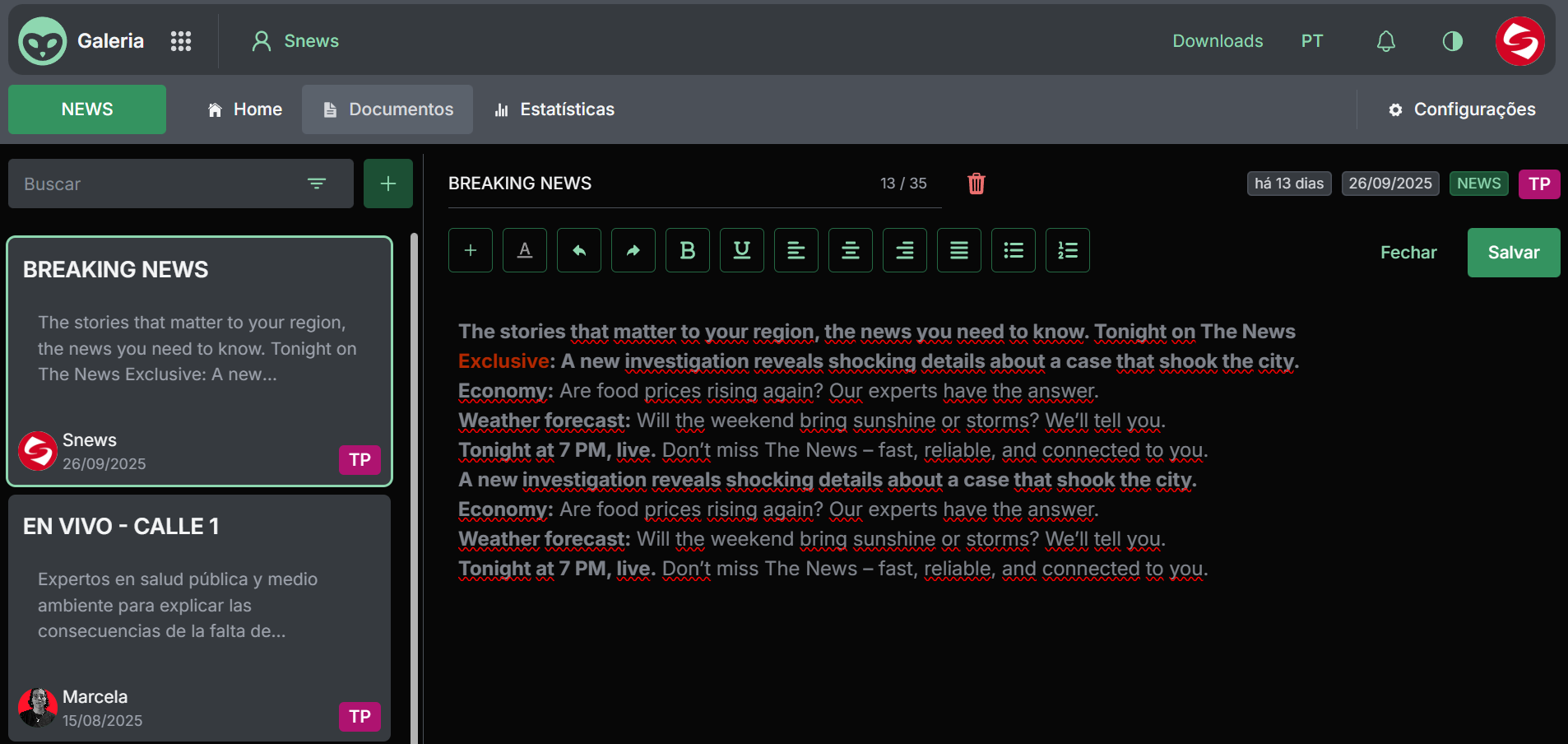
The screen is split into two key areas:
-
Left panel: list of available documents with title, author, and creation date.
Click any entry to open it for editing. -
Text editor (right panel): where you write and format the content.
Includes basic formatting tools such as bold, italics, lists, and alignment controls.
While editing you can:
- Add headings and subheadings
- Highlight important parts with formatting
- Save changes in real time via the green "Save" button
- Close the editor to return to the list
The header shows helpful metadata such as:
- Creation date and time since the last update
- Category (e.g.,
NEWS) - Type or custom tag (
TP)
Use the "+" button to create a new document and the Search field to quickly filter by title.